
Configuring chat memory with Spring AI
A Large Language Model is a stateless system. The model does not retain conversation history, generating an independent response to every prompt. Without conversational memory and context, it would be impractical to use LLMs in the real world. Spring AI supports chat memory (or conversational memory), to store and retrieve information across multiple interactions with the underlying LLM.
In this tutorial, we add memory to the basic chat-client developed in Developing an LLM chat-client with Spring AI.
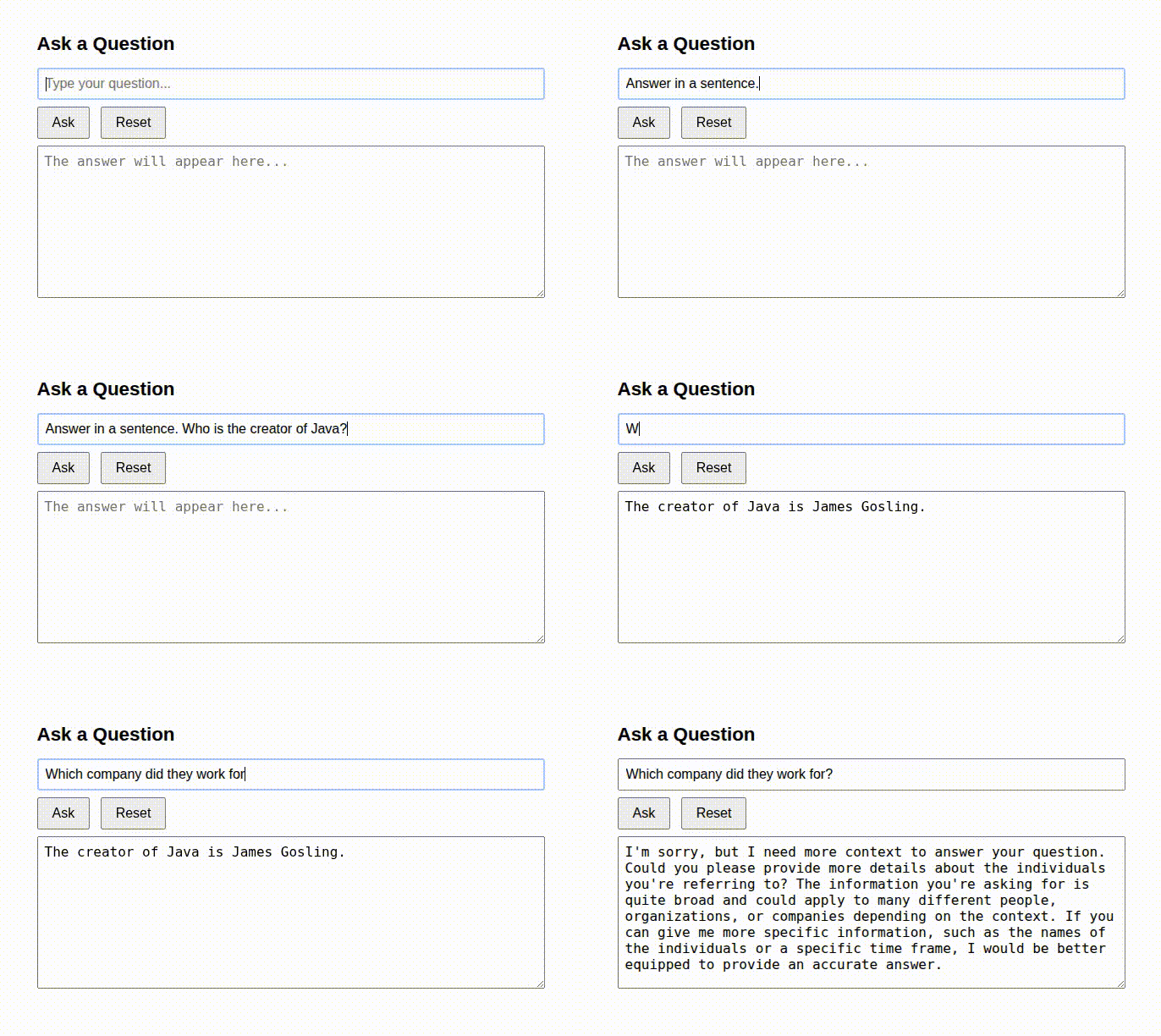
To set the context, here is a screen-capture of a conversation with a chat-client without chat memory:
Adding chat memory to the basic chat-client
Spring AI lets us add chat memory with a very concise code change, using the Advisor API. Advisors intercept data sent to, and received from, the Large Language Model.
MessageChatMemoryAdvisor and MessageWindowChatMemory
We register a MessageChatMemoryAdvisor with the ChatClient.Builder.
This Advisor needs a chat memory implementation. For this tutorial, use the basic MessageWindowChatMemory. It provides an in-memory implementation of a specified size, ensuring the total number of messages does not exceed this limit.
Conversation identifier
With the MessageChatMemoryAdvisor, every question needs to be associated with a conversation identifier. This is critical when multiple users interact with the chat client. For this tutorial, use a default conversation identifier.
Steps to add chat memory
1. Clone the basic chat-client repository
The chat-client developed in Developing an LLM chat-client with Spring AI is available in this repository:
user@host:~$ git clone https://github.com/pushkarnk/spring-ai-chat-client-demo.git && \
> cd spring-ai-chat-client-demo2. Update the DemoChatService
Augment the ChatClient with a MessageChatMemoryAdvisor that uses the MessageWindowChatMemory implementation. Also pass the conversation identifier while submitting the prompt.
src/main/java/demo/chatclient/DemoChatService.java¶package demo.chatclient;
import org.springframework.ai.chat.client.ChatClient;
import org.springframework.ai.chat.memory.ChatMemory;
import org.springframework.ai.chat.memory.MessageWindowChatMemory;
import org.springframework.ai.chat.client.advisor.MessageChatMemoryAdvisor;
import org.springframework.stereotype.Service;
@Service
public class DemoChatService implements DemoChatClient {
private final ChatClient chatClient;
public DemoChatService(ChatClient.Builder chatClientBuilder) {
ChatMemory chatMemory = MessageWindowChatMemory.builder().build();
this.chatClient = chatClientBuilder
.defaultAdvisors(MessageChatMemoryAdvisor.builder(chatMemory).build())
.build();
}
@SuppressWarnings("null")
@Override
public Answer askQuestion(Question question, String conversationId) {
var response = chatClient.prompt()
.user(question.question())
.advisors(advisorSpec->advisorSpec.param(ChatMemory.CONVERSATION_ID, conversationId))
.call()
.content();
return new Answer(response);
}
}
Note
MessageWindowChatMemory.Builder has a maxMessages method that lets us configure the maximum number of stored messages. The default is 20.
3. Update the DemoChatController
Add the conversation identifier (header name X_AI_CONVERSATION_ID) as a RequestHeader to the handler method. For simplicity, a specified default value (default) is used here.
src/main/java/demo/chatclient/DemoChatController.java¶package demo.chatclient;
import org.springframework.web.bind.annotation.PostMapping;
import org.springframework.web.bind.annotation.RequestBody;
import org.springframework.web.bind.annotation.RequestHeader;
import org.springframework.web.bind.annotation.RestController;
@RestController
public class DemoChatController {
private final DemoChatClient chatClient;
public DemoChatController(DemoChatClient chatClient) {
this.chatClient = chatClient;
}
@PostMapping(path = "/ask", produces = "application/json")
public Answer askQuestion(
@RequestHeader(name="X_AI_CONVERSATION_ID", defaultValue = "default") String convId,
@RequestBody Question question) {
return chatClient.askQuestion(question, convId);
}
}
4. Update the DemoChatClient interface
Add the new parameter for the conversation identifier to the askQuestion method.
src/main/java/demo/chatclient/DemoChatClient.java¶package demo.chatclient;
public interface DemoChatClient {
Answer askQuestion(Question question, String conversationId);
}
5. Run the updated chat client
Build and run the chat client application:
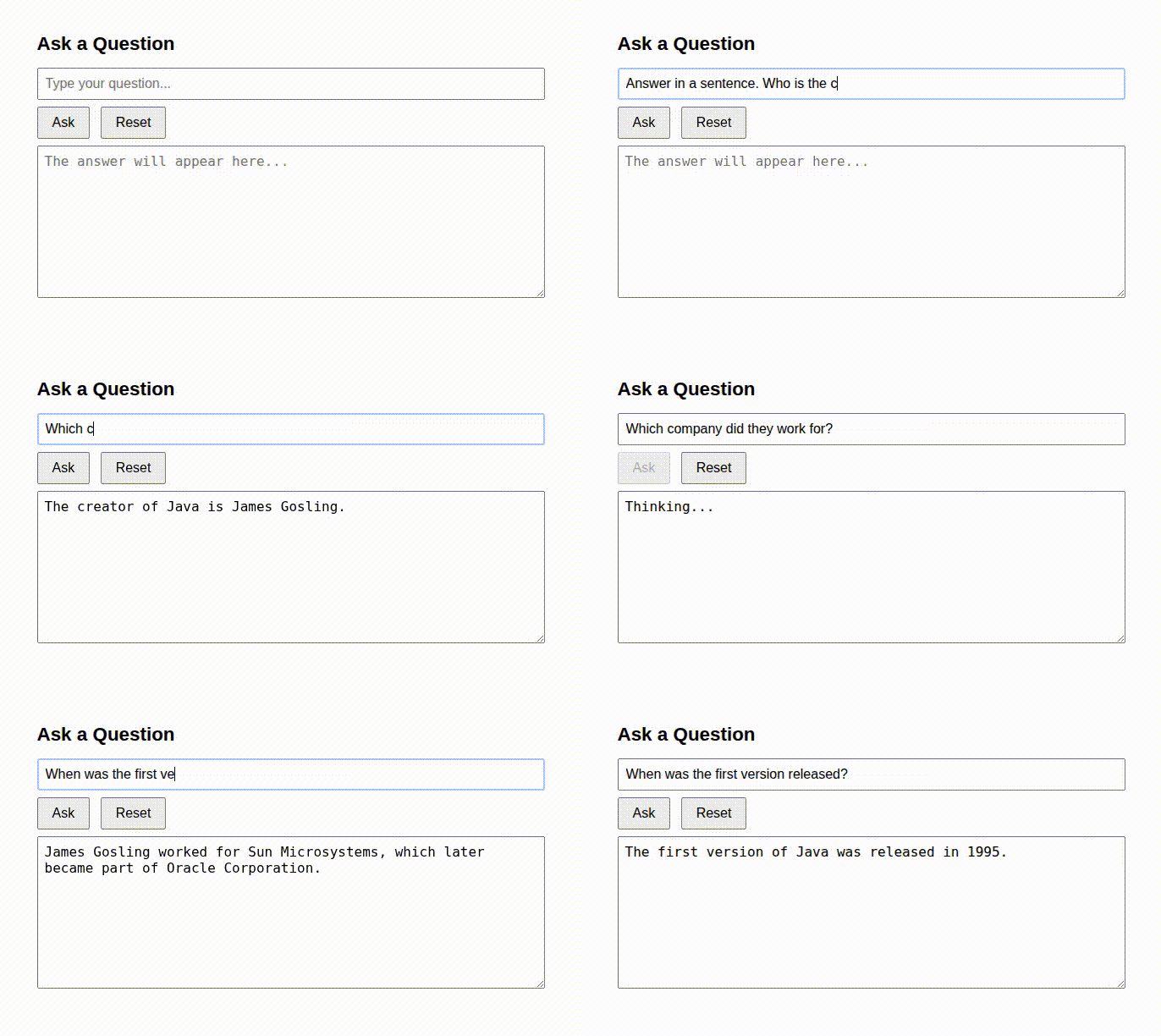
user@host:~$ ./gradlew bootRunOpen http://localhost:8080 and run an interaction that exercises chat memory. Here is the screen-capture of a sample interaction:
Further reading
MessageWindowChatMemory is the simplest implementation of chat memory. It does not persist messages beyond the lifetime of the chat client process. Real-world applications need persistent conversational memory. Spring AI provides JdbcChatMemoryRepository for persisting chat memory to a relational database. The API also has support for NoSQL databases like Cassandra and MongoDB, and for the neo4j graph database, too.
Spring AI also lets you persist conversation history into a vector database using the VectorStoreChatMemoryAdvisor.